 d521bdc0ba
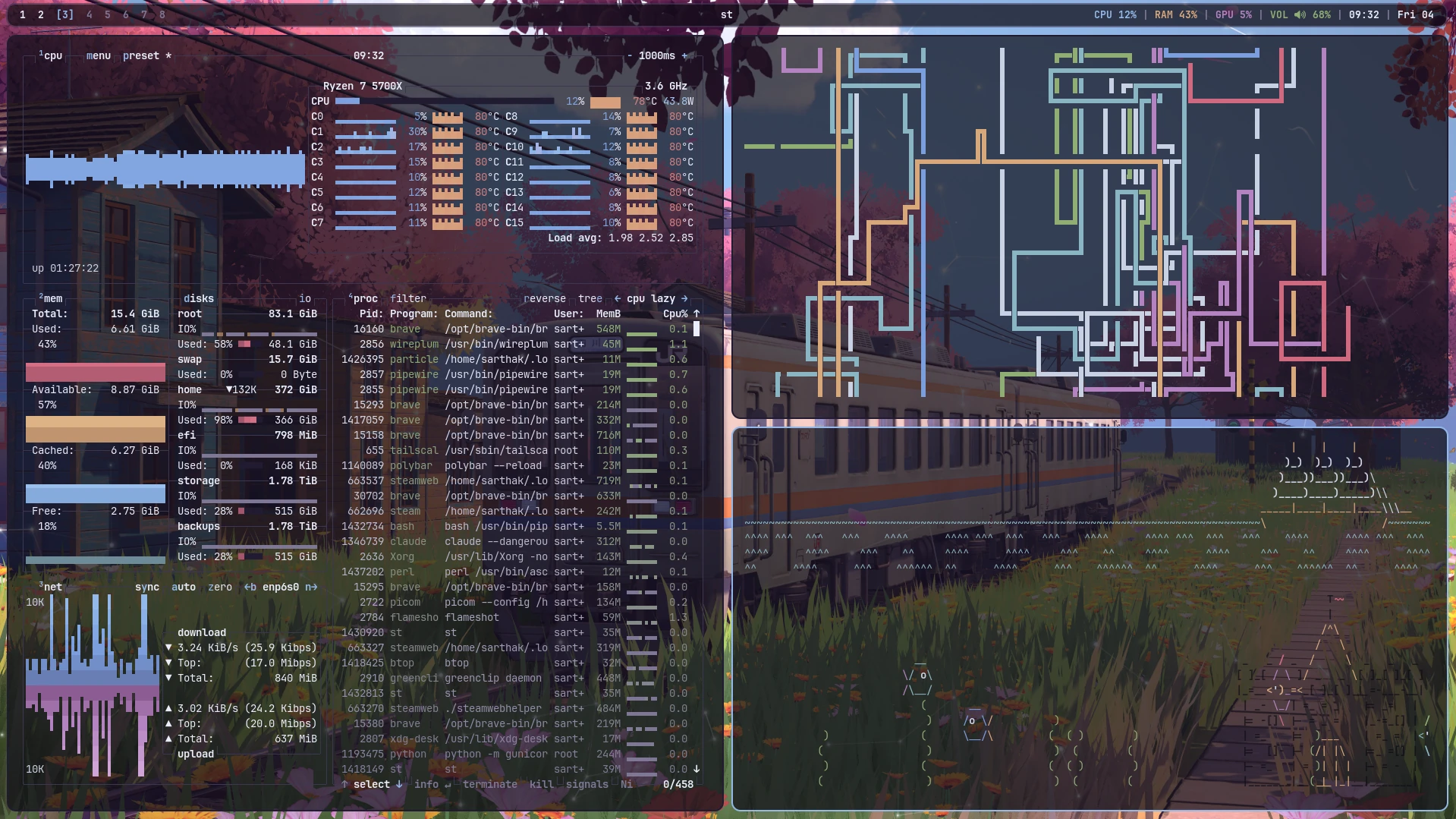
Desktop shot at .config/rice/screenshot.webp, shown at the top of the root
README and the rice one.

Converted from the source PNG: it was 2.36 MB, and PNG recompression only got
it to 2.30 MB because the sakura wallpaper is a photo. WebP at q90 is 0.38 MB
with the terminal text still sharp at 1:1, which is worth it in a repo the
installer clones in full.

Co-Authored-By: Claude Opus 5 <noreply@anthropic.com>
Claude-Session: https://claude.ai/code/session_011beBgzmH72WFn8wiWqRZPf
3.6 KiB
Sakura Line
bspwm rice. Palette sampled from ~/.config/bspwm/wallpaper/wallpaper.jpg.
Replicate on a fresh machine
bash <(curl -fsSL https://git.srtk.in/sarthak/dotfiles/raw/branch/main/.config/rice/install.sh)
Or, if the dotfiles are already cloned:
~/.config/rice/install.sh            # full run
~/.config/rice/install.sh --dry-run  # show what it would do, change nothing
Arch is the first-class target. Debian/Ubuntu and Fedora are best-effort — the desktop, build and theming steps work; the AUR extras are skipped.
The script is safe to re-run. Anything in $HOME that would be overwritten by
the dotfiles checkout is moved to ~/.rice-backup-<timestamp>/ first.
What it sets up
| WM | bspwm + sxhkd |
| Bar | polybar (translucent, rounded) |
| Compositor | picom (rounded corners, vsync) |
| Launcher | rofi, centred, with icons |
| Notifications | dunst |
| Terminal | st, built from st/config.h here (upstream gitignores it) |
| Wallpaper layer | particles, built from particles/ here |
| Toolkits | GTK2/3/4 via gtk.css overrides, Qt via qt6ct |
Control centre
super + x, or the gear at the right of the bar, opens one centred GTK panel
that drives everything. Press it again to close. It is a real window, so the
sliders are live and stepping back between views never redraws the panel:
| Network | Wi-Fi on/off, rescan, pick a network (password prompt inline) |
| Bluetooth | power on/off, scan, connect/disconnect paired devices |
| Audio | live volume and microphone sliders; click the icon to mute |
| VPN | WireGuard up/down via systemctl wg-quick@… |
| Notifications | do-not-disturb toggle |
| Clipboard / Screenshot / Display | greenclip, flameshot, resolution |
| Wallpaper / Particles | shuffle, toggle the particle layer |
| Power | lock, log out, suspend, reboot, shut down |
Escape steps back from a subview; Escape on the main view closes it. The panel grabs the seat like rofi does, so it keeps focus wherever the pointer is.
Panel keys
Each control shows its key in the bottom-right corner.
n network |
b bluetooth |
v vpn |
d do-not-disturb |
p particles |
w wallpaper |
a audio |
c clipboard |
s screenshot |
e display |
m mute |
i mute mic |
l lock |
o log out |
z suspend |
r reboot |
q shut down |
←/→ volume |
Esc back / close |
Keybindings
super + Return |
terminal (st) |
super + w |
app launcher (rofi drun) |
super + x |
control centre |
super + v |
clipboard history |
super + b |
toggle the bar |
super + alt + p |
screenshot (flameshot) |
super + q |
close window |
super + f |
fullscreen |
super + space |
float/tile |
super + Escape |
reload sxhkd |
Palette
| role | hex | from |
|---|---|---|
| bg | #0f0d17 |
twilight shadow |
| fg | #e9eefb |
cool white |
| accent | #92b9ea |
sky |
| red | #cf6a80 |
blossom |
| green | #8fae74 |
grass |
| yellow | #d8a87c |
train stripe |
| magenta | #b483c0 |
plum blossom |
| cyan | #8ab6c4 |
station house |
Changing the wallpaper does not re-derive these — they are written into each app's config.
Layout
.config/rice/
├── install.sh        one-shot bootstrap
├── packages.txt      package list ("aur:" prefix = needs an AUR helper)
├── screenshot.webp   the shot in this README
├── st/config.h       st build config
└── particles/        wallpaper-layer particle field (source + Makefile)